

How a Computer Works: CPU, RAM, Storage & I/O
Right now, as you read this, your computer is doing thousands of things at once. It's rendering this text, listening for your next click, maybe running a few background apps, all without you noticing any of it.
It feels like magic. It isn't. It's four simple parts, working together in a very specific way.
Learn these four parts well, and a huge chunk of "how computers work" stops being a mystery. Let's open the box.
The Four Pieces You Need to Know
Every computer, from your phone to a massive data center server, is built from the same four ingredients:
- CPU (Central Processing Unit): the part that actually does the thinking.
- RAM (Random Access Memory): the part that holds what the CPU is working on right now.
- Storage: the part that keeps your data safe, even when the power is off.
- I/O (Input/Output): the parts that let the computer talk to the outside world, your keyboard, your screen, the internet.
None of these four work alone. A CPU with no RAM has nothing to think about. RAM with no storage forgets everything the second you turn off the machine. Let's go through each one.
The CPU: The Brain That Never Stops
The CPU is the part of the computer that actually runs your code. Every single line of a program, every click handler, every loop, eventually turns into tiny instructions the CPU executes one after another, billions of times per second.
Here's the part that surprises people: a CPU doesn't understand JavaScript, or Python, or any language you write in. It only understands a very small set of basic instructions, things like "add these two numbers" or "move this piece of data from one place to another." Everything you write gets translated down into these tiny steps before the CPU ever touches it.
A modern CPU has multiple cores, which are like independent mini-brains inside the same chip. Each core can work on a different task at the same time. That's why your computer can play videos, run your code editor, and keep fifty browser tabs open all at once, different cores are quietly splitting the work.
The CPU is incredibly fast, but it has a big weakness: it has almost no memory of its own. It needs somewhere to pull data from and push results to, instantly. That's where RAM comes in.
RAM: The Desk You Work On
Think of RAM as a desk. When you sit down to work, you don't keep every book you own on your desk. You pull out only what you need for the task in front of you, keep it within arm's reach, and put it away when you're done.
RAM works the same way for your computer. When you open an app, the computer pulls the data that app needs out of storage and places it into RAM, close enough for the CPU to grab instantly. As you use the app, the CPU keeps reading from and writing to RAM, thousands of times per second.
RAM is extremely fast, much faster than storage, but it has one big catch: it's temporary. The moment you lose power, everything in RAM disappears. That's why unsaved work vanishes when your laptop crashes, it was never written anywhere permanent, it was just sitting on the desk.
This is also why more RAM lets you do more at once. A bigger desk means more books open in front of you at the same time, without having to keep running back to the shelf.
Storage: The Filing Cabinet
If RAM is the desk, storage is the filing cabinet across the room. It's where everything lives permanently: your operating system, your apps, your photos, your files. Unlike RAM, storage keeps its data even when the power is off.
The trade-off is speed. Walking to a filing cabinet and pulling out a folder takes a lot longer than grabbing something already sitting on your desk. That's true for computers too. Storage is much slower than RAM, which is exactly why your computer copies data into RAM first before working on it, instead of reading directly from storage every time.
There are two main kinds of storage you'll run into:
- HDD (Hard Disk Drive): an older technology that stores data on a spinning magnetic disk. Cheap, but slow, since a physical arm has to move to find your data.
- SSD (Solid State Drive): the modern standard. No moving parts, data is stored electronically, which makes it dramatically faster than an HDD.
This is also why your computer feels slow to "boot up." It's pulling your operating system out of storage and loading it into RAM, walking to the filing cabinet before it can even sit down at the desk.
I/O: How the Computer Talks to the World
CPU, RAM, and storage could do all the thinking and remembering in the world, but none of it would matter if the computer couldn't talk to you, or to anything outside itself. That's the job of I/O, short for Input/Output.
Input is anything that sends information into the computer: your keyboard, your mouse, your microphone, a network connection bringing in data from the internet.
Output is anything that sends information back out: your screen, your speakers, a network connection sending data out to a server.
Every time you type, click, load a webpage, or hear a notification sound, you're watching I/O in action. It's the bridge between the closed-off world of CPU, RAM, and storage, and the actual, physical world you live in.
How They All Work Together
Let's put it all together with something you do every day: opening a file on your computer.
- You double-click the file. That click is an input, captured by your mouse and sent to the CPU.
- The CPU asks storage: "find this file." Storage locates it on the disk.
- Storage sends a copy of the file into RAM, since RAM is fast enough for the CPU to actually work with it.
- The CPU processes the file, figuring out how to display it, running whatever code is needed.
- The result gets sent to your screen, an output, so you can actually see the file open in front of you.
That entire sequence happens in a fraction of a second. Every app you'll ever build, every button someone clicks, every page that loads, follows some version of this same loop: input comes in, storage and RAM feed the CPU, the CPU thinks, output goes back out.
What About GPU?
While the CPU, RAM, storage, and I/O cover the basics, there's a fifth piece that's become just as important by time: the GPU (Graphics Processing Unit).
A CPU is built to do a few complex tasks one after another, but a GPU is built to do thousands of simple tasks at the exact same time, which makes it perfect for rendering graphics, running video games, and powering the AI models.
This is exactly what people mean by a "gaming computer": a regular computer with a much more powerful GPU added in, so it can render fast-moving, detailed graphics without slowing down.
It's also worth clearing up a common mix-up: a desktop computer and a laptop have the exact same four (or five) core parts we just covered, the real difference is just packaging. A desktop spreads its parts across a bigger case with better cooling, which usually means more raw power, while a laptop squeezes everything into a small, battery-powered shell you can carry around, often trading some performance for portability.
Why This Matters
You will probably never write code that talks to a CPU register directly, or manages RAM by hand. Most languages and frameworks hide all of that from you on purpose.
But when your app is mysteriously slow, understanding this loop tells you where to look. Is it reading from storage too often, walking to the filing cabinet when it should be keeping things on the desk? Is it holding too much in RAM at once, cluttering the desk until nothing fits? Is the CPU stuck doing heavy work on a single core while the others sit idle?
These aren't abstract computer science questions. They're the real reasons real apps slow down, crash, or eat up memory. Now that you know what's actually happening under the hood, you're not guessing anymore. You're reasoning from the ground up, exactly like an engineer should.
Go Deeper
If you enjoyed this topic and want to go deeper, these two books are a great place to start. They explain how computers work in a way that's easy to follow:

But How Do It Know? by J. Clark Scott
The friendliest possible entry point into computer hardware. It builds a working computer from scratch.
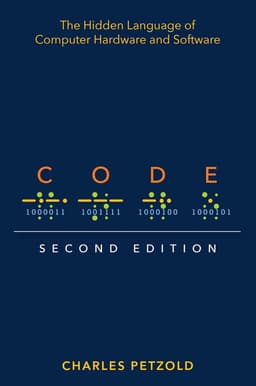
Code: The Hidden Language of Computer Hardware. by Charles Petzold
A modern classic. It tells the story of computing from Morse code all the way up to modern processors.
Neither book requires a technical background to start. They just ask for curiosity, which, if you've made it this far, you clearly already have.