

How Networking Works: IP, DNS, TCP/UDP, HTTP
You type a website name, hit Enter, and a page appears. Somewhere out there, a computer you've never touched, sitting in a building you'll never see, understood exactly what you wanted and sent it back to you.
That only works because every computer involved agrees to follow the same set of rules. Those rules are called protocols, and they're the whole reason any of this works at all. Let's start there, then walk through IP, DNS, TCP/UDP, and HTTP, and finally trace the full journey your request actually takes.
What Is a Protocol, Really?
A protocol is just an agreed-upon set of rules for how two things communicate. Nothing more mysterious than that.
Think about ordering food at a restaurant. You don't invent a new way of ordering every time. You look at a menu, say what you want, the waiter repeats it back to confirm, then walks away and comes back with your food. That's a protocol, an unspoken agreement about the order things happen in, so both sides know what to expect from each other.
Computers need the exact same thing, except stricter, since computers can't read body language or ask "wait, what did you mean by that?" A protocol spells out, in painfully exact detail, how a conversation between two machines should go: who speaks first, what format the message must be in, how to confirm it arrived, and how to end the conversation.
This matters because computers are built by completely different companies, running different software, sometimes decades apart. A protocol is what lets a phone made by one company talk to a server built by another company, using code written by people who have never met, and have it just work. Without protocols, every device would need custom-built instructions just to talk to every other device. Protocols mean you only need to build it once, correctly, and it works with everyone.
With that in mind, let's meet the specific protocols that make the web run.
IP: Every Computer's Address
For two computers to talk, they first need a way to find each other. That's the job of IP, the Internet Protocol. Every device connected to a network gets an IP address, something like 142.250.190.78, a unique label that says "this is where I am."
Think of it like a postal address. If you want to send a letter, you need a specific address to send it to, not just a name. Computers work the same way. Before any data can travel anywhere, it needs an IP address to travel to.
There are two versions in use today. IPv4 looks like 192.168.1.1, four numbers separated by dots, and it's been around since the early internet. It's also running out, since it only allows about 4 billion unique addresses, which sounded like plenty decades ago and clearly isn't anymore. IPv6 is the newer version which looks like 2001:0db8:85a3:0000:0000:8a2e:0370:7334, with a vastly larger address space, built to make sure the internet never runs out of room to grow.
DNS: The Internet's Phone Book
Here's the problem: nobody wants to memorize an IP address just to visit a website. You want to type nzar.dev, not a string of numbers.
That's exactly what DNS, the Domain Name System, solves. It's essentially the internet's phone book. When you type a website name, your computer asks DNS: "what's the IP address for this name?" DNS looks it up and hands back the actual address, all in a fraction of a second, before your browser even starts loading the page.
This lookup happens in stages, hopping between different servers that each know a piece of the answer, until one of them finally says "here's the exact address you're looking for." You never see any of this. You just type a name, and somehow, the right computer answers.
TCP vs UDP: Two Ways to Send Data
Once your computer knows the address it's sending data to, it still needs a way to actually send it, reliably, in the right order, without pieces going missing along the way. That's where TCP and UDP come in, two different protocols for the exact same problem: moving data from one machine to another.
TCP (Transmission Control Protocol) is careful and reliable. It breaks your data into small packets, sends them, and waits for confirmation that each one arrived. If a packet gets lost along the way, TCP notices and resends it. It also makes sure packets are reassembled in the correct order on the other end, even if they didn't arrive in that order. This reliability makes TCP the default choice for things like loading webpages or sending emails, situations where losing even a little bit of data would break everything.
UDP (User Datagram Protocol) trades reliability for speed. It just fires packets out and doesn't bother waiting for confirmation or resending anything that's lost. That sounds risky, and it is, but for the right use case, it's exactly what you want. Video calls and live game streaming use UDP, because if one tiny packet gets dropped, you'd rather have a brief glitch than have the whole call freeze while it waits to resend one lost fragment.
In short: TCP picks accuracy over speed. UDP picks speed over accuracy. Engineers choose whichever one fits the job.
How Does Your Request Find the Right Path?
Say your computer has its own IP address, call it IP1, and DNS just handed you the server's address, call it IP2. There's no direct wire running from your house straight to that server. So how does your data actually find its way from IP1 to IP2, and how does it find a fast path, out of the millions of possible ones, in a fraction of a second?
The short answer: it doesn't figure out the whole path in advance. Instead, your data hops from one router to the next, and at every single hop, that router makes one small, local decision: "out of my connections, which one gets this packet closer to IP2?" Each router keeps a routing table, a constantly updated list of which direction leads toward which range of addresses, a bit like a road sign that only tells you the next turn, not the entire route to your destination.
This is really the same idea as GPS navigation, just distributed across many independent devices instead of one app. No single router knows the entire path from your laptop to Google's server. Each one only needs to know one thing: which of its neighbors is a good next step. String enough of those small, fast decisions together, hop after hop, and the packet ends up taking a genuinely efficient path, without any single machine ever needing the full map.
This whole relay, how routers are connected, how they choose the next hop, and what happens when a path is congested or goes down, is exactly what we'll dig into properly in the next article, How the Internet Works: Routers, Packets & Protocols. For now, the key idea to hold onto is this: getting from IP1 to IP2 isn't one trip, it's a fast relay of small, local decisions.
So How Does a Request Know Which Protocol to Use?
Here's the question that trips a lot of people up: your computer sends and receives all kinds of traffic, webpages, emails, file transfers, so how does it know which protocol a piece of data is even speaking?
Two things answer that: ports and schemes.
A port is like an extension number in an office building. The building itself is one IP address, but different departments inside it, different services, sit behind different port numbers. Web traffic normally shows up on port 80 (HTTP) or 443 (HTTPS). Email sending uses port 25 (SMTP). File transfers often use port 21 (FTP). When data arrives at a computer, the operating system checks which port it came in on, and hands it off to whichever app is "listening" on that port, your browser, your mail client, whatever it may be.
A scheme is the part at the very start of a URL, the bit before the ://. When you see https://, mailto:, or ftp://, that prefix is the address telling your device up front which protocol and, usually, which port to use, before it even connects. That's why clicking a mailto: link opens your email app instead of your browser, the scheme told your computer exactly which conversation it's about to have.
HTTP: The Language Websites Speak
IP got you an address. DNS translated a name into that address. TCP made sure your data actually arrives in one piece, over the right port. But none of that explains how a browser actually asks a server for a webpage, and gets a sensible answer back.
That's HTTP, the Hypertext Transfer Protocol, sitting on top of everything we just covered. It's the actual language your browser and a web server use to talk to each other.
Every HTTP conversation follows the same basic shape:
- Your browser sends a request, saying something like "GET me the page at this address."
- The server processes that request and sends back a response, which includes a status code (like
200for success, or the infamous404for "not found") and the actual content, HTML, images, data, whatever was asked for.
You've probably also seen HTTPS, which is just HTTP with an extra layer of encryption wrapped around it, so nobody snooping on the network in between can read what's actually being sent. That little padlock icon in your browser is confirming exactly that.
Protocols Keep Getting Invented: Meet MCP
Protocols aren't a solved, finished list from decades ago. New ones get invented whenever a new kind of conversation needs standard rules. One of the newest, and most relevant if you're building with AI, is MCP, the Model Context Protocol.
Before MCP: say you're building three different AI apps, and you want all three to be able to check a user's calendar, search a company database, and send a Slack message. Without a shared protocol, you'd have to write custom integration code for every single pairing, app one talking to the calendar, app one talking to the database, app one talking to Slack, then repeat all of that again for app two, and again for app three. Every new tool you add means writing new glue code for every AI app that wants to use it. It doesn't scale, and it's exactly the same mess computers would be in if every website had to be custom-built to work with every different browser.
After MCP: the calendar, the database, and Slack each get built once as an MCP-compatible tool. Any AI app that also speaks MCP, whether it's the one you built or someone else's, can now use all three, instantly, with zero custom code. The tool doesn't need to know which AI app is calling it, and the AI app doesn't need to know how the tool works internally. They both just speak MCP, the same way your browser and a random web server both just speak HTTP, even though neither one knows anything about how the other was built.
That's the entire point of a protocol, in one clean example. Before, everyone builds a custom bridge for every combination. After, everyone builds to one shared standard, and every combination just works.
Putting It All Together
Let's trace the trip, start to finish, the moment you type wiki.nzar.dev and hit Enter.
- Your browser first asks DNS: "what's the IP address for wiki.nzar.dev?" DNS answers back with an actual IP address.
- Your device opens a TCP connection to that address, since loading a webpage needs to be reliable, not just fast.
- Over that connection, on the right port, your browser sends an HTTP (or HTTPS) request: "GET me this page."
- The server receives the request, puts together the response, HTML, images, styles, whatever the page needs, and sends it back.
- TCP makes sure every packet of that response arrives, in the right order, without anything missing.
- Your browser takes that response and renders it, turning raw HTML and data into the actual page you see on screen.
All of that, the DNS lookup, the TCP handshake, the HTTP request and response, typically happens in well under a second. It feels instant, but it's really a small, precise conversation between machines that have never met, following protocols they both agreed to follow long before you ever hit Enter.
We're glossing over one big piece on purpose: exactly how your request physically travels from your device to this wiki's server and back, through your router, your ISP, and the wider internet. That's a big enough topic that it deserves its own space, and it's exactly what the next article, How the Internet Works: Routers, Packets & Protocols, is for.
Why This Matters
You'll rarely write raw TCP or manually construct an HTTP request by hand, your tools handle almost all of it. But when a website won't load, understanding this chain tells you exactly where to start looking. Is your WiFi even connected? Is your ISP having an outage? Is DNS failing to resolve the name? Is the connection timing out at the TCP level? Or did the server respond, just with an error status code you now know how to read?
"The internet is down" stops being one big mystery. It becomes a short, specific list of things you can actually check, one hop at a time.
Go Deeper
If protocols, addresses, and the invisible plumbing of the internet pulled you in, here are two doors worth walking through:
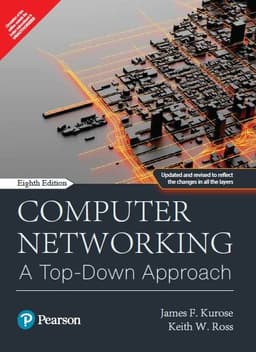
Computer Networking. by James Kurose and Keith Ross
The most widely used networking book in the world, and for good reason.
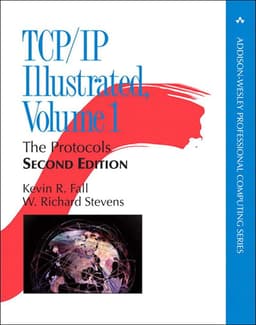
TCP/IP Illustrated, Volume 1. by W. Richard Stevens
A denser, more technical classic, but one of the most respected networking books ever written.
- "Computer Networking: A Top-Down Approach" by James Kurose and Keith Ross. The most widely used networking book in the world, and for good reason. It starts exactly where this article did, with HTTP and the applications you actually use, then works its way down through TCP/UDP, IP, and all the way to the physical wires and signals underneath. It's approachable, well-paced, and doesn't assume you're already an engineer.
- "TCP/IP Illustrated, Volume 1" by W. Richard Stevens. A denser, more technical classic, but one of the most respected networking books ever written. It walks through TCP, UDP, IP, and more by showing you real packet captures, actual conversations between machines, so you can see these protocols in action instead of just reading about them in theory.
Start with Kurose and Ross if you want the full, friendly picture. Reach for Stevens once you're ready to see these protocols working, packet by packet, for real.