

Using AI Tools Effectively (Without Becoming Dependent)
You open an AI tool and explain what you want in simple words. A working feature is ready in just a few seconds. It is very impressive, but it is also easy to depend on it too much. After a while, you may stop learning because the AI is doing most of the work for you.
This part of the wiki has already touched AI twice, once as part of debugging carefully, once as part of searching smartly. This article is the wider view: how to bring AI into your daily work as a real lever, without quietly becoming someone who can prompt but can't actually build.
What AI Is Genuinely Good At
Used well, AI is excellent at a specific set of jobs. It's fast at generating a first draft, boilerplate code, a basic component, a rough first pass at a function, that you were always going to rewrite anyway. It's great at explaining unfamiliar syntax or a concept you've never seen before, in your own words, on demand. And it's genuinely useful as a second pair of eyes, spotting an obvious typo, or suggesting an edge case you hadn't considered.
None of that requires you to hand over your thinking. It just means you're not starting completely from scratch, or stuck on something small for twenty minutes when a quick explanation would clear it up in ten seconds.
The Dependency Trap
Here's the trap, and it's a subtle one. It's not that using AI once makes you dependent. It's that using it for everything, including the small things you were perfectly capable of figuring out yourself, quietly stops you from building the muscle you need for the big things later.
Think about GPS. Use it occasionally for an unfamiliar city, and you still build a rough mental map over time. Use it for every single drive, including the route to your own workplace, and you never actually learn your own city at all, you just learn how to follow turn-by-turn instructions. The same thing happens with code. Ask AI to write every loop, every small function, every basic fix, and you never actually build the underlying skill, you just get very good at describing what you want and waiting.
The Explain-It-Back Test
Here's a simple, honest test worth running on yourself constantly: after AI gives you a piece of code, can you explain, out loud, exactly what every part of it does, and why it works? If you can't, you don't actually own that code yet, no matter whose editor it's sitting in.
This connects directly to the "understand before you copy" habit from the documentation article. Code you can't explain is code you can't debug later, can't safely change later, and can't actually claim you wrote, no matter who typed it out. If a chunk of AI-written code fails this test, stop, and go understand it properly before moving on, even if that costs you a few extra minutes right now.
A Better Loop for Working With AI
A healthy way to bring AI into your work follows the exact same loop this part of the wiki keeps coming back to. Understand and decompose the problem yourself first, using the skills from a few articles ago, before you ever open an AI tool. Then, for one small, specific piece of that broken-down problem, ask AI for a draft. Read it, test it, and make sure it passes the explain-it-back test. Only then move on to the next piece.
Notice what's missing from that loop: asking AI to solve the whole problem, end to end, in one shot, based on a vague description. That approach might produce something that works, occasionally, but you'll have skipped the actual thinking, decomposition, hypothesis forming, verification, that's the real skill this whole part of the wiki is trying to build in you.
Using AI to Learn, Not Just to Produce
Here's a shift worth making deliberately: instead of only asking AI to produce code, ask it to teach you. "Explain why this pattern is used here" gets you something far more valuable long-term than "write this for me." Ask it to explain a concept a few different ways if the first explanation didn't click. Ask it what would happen if you changed one specific detail, and then actually go test whether it was right.
Used this way, AI starts acting like an incredibly patient tutor, one that never gets tired of your questions and never makes you feel behind for asking something basic. Used the other way, purely as a code vending machine, it quietly becomes something that produces answers while your own understanding stays frozen exactly where it was when you started.
When Not to Reach for AI at All
Some moments are genuinely better without it. When you're learning a brand-new fundamental concept for the very first time, struggling with it a little, on your own, for a bit, actually helps it stick. Reaching for an instant explanation the second something feels hard can quietly rob you of the exact productive struggle that builds real understanding.
The same goes for anything security-sensitive, authentication logic, payment handling, anything touching real user data, where you need to deeply understand every line yourself, not trust a plausible-looking draft.
Practicing Without It, On Purpose
A healthy habit worth building deliberately: every so often, solve something completely without AI, even something small, even when it would clearly be faster with it. Not out of stubbornness, but the same way an athlete still practices fundamentals even after they've gotten good, to keep the underlying skill sharp instead of slowly outsourcing it entirely.
This matters more than it sounds. The moment you're in an environment without AI access, a live coding interview, a client's locked-down machine, an outage where the fix has to happen right now, your own skill is the only tool left in the room. Keeping it sharp is worth the occasional extra few minutes.
Why This Matters
Used well, AI genuinely makes you faster and lets you focus your energy on the parts of a problem that actually need real thinking. Used carelessly, it quietly cuts out the exact skills this entire wiki is trying to build in you, one convenient shortcut at a time, until you're fast at prompting and slow at everything else.
The engineers who'll shine over the next decade aren't the ones who avoid AI, and they're not the ones who outsource everything to it either. They're the ones who know exactly which parts of the job to hand over, and which parts to keep doing themselves, on purpose, so the skill underneath never quietly disappears.
Go Deeper
If this topic clicked for you and you want to think about this more deliberately, these two are worth your time:
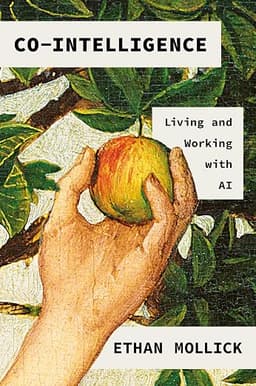
Co-Intelligence: Living and Working with AI. by Ethan Mollick
A clear, well-grounded look at how to actually collaborate with AI tools.
Anthropic's guide to prompt engineering.
A practical, official resource on how to actually communicate with an AI tool to get useful.
- "Co-Intelligence: Living and Working with AI" by Ethan Mollick. A clear, well-grounded look at how to actually collaborate with AI tools well, neither dismissing them nor blindly trusting them, written by a researcher who's studied this closely rather than just hyped it.
- Anthropic's guide to prompt engineering, free at docs.claude.com. A practical, official resource on how to actually communicate with an AI tool to get useful, specific results, instead of vague answers that need three follow-up prompts to fix.
Start with Anthropic's guide if you want quick, practical ways to get better answers out of the AI tools you're already using. Read "Co-Intelligence" once you're ready to think more broadly about where AI genuinely belongs in your workflow, and where it doesn't.