

Semantic HTML: Why Structure Matters
Close your eyes and imagine navigating a website using only your ears, the way a screen reader user does every single day. Now imagine that same page was built entirely out of <div> tags, styled with CSS to look exactly like a normal page, headers, navigation, footer, all of it. Visually, nothing looks wrong. To a screen reader, and to a search engine, that page might as well be one giant, meaningless block of text.
That gap, between how a page looks and what it actually is underneath, is exactly what semantic HTML exists to close.
What "Semantic" Actually Means
Semantic just means "carrying meaning." A semantic tag tells you, and anything reading your page on your behalf, what the content actually is, not just how it should look. <button> means "this is something you can click to trigger an action." <div> means, quite literally, nothing at all, it's a plain container with no built-in meaning whatsoever.
The last article ended with exactly this idea, comparing <strong> and <b>, two tags that can look identical but mean very different things. Semantic HTML takes that same idea and applies it to your page's entire structure, not just individual words.
The Div Soup Problem
Here's a pattern that used to be everywhere, and still shows up constantly: building an entire page out of nothing but <div> tags, distinguished only by class names.
Before, structured with meaning-free containers:
<div class="header">...</div>
<div class="nav">...</div>
<div class="main-content">...</div>
<div class="footer">...</div>
This will render exactly the way you want, visually. But strip away the CSS, and you're left with four identical, meaningless boxes. Nothing in the HTML itself says "this is the navigation" or "this is the main content," that information only exists in your class names, which screen readers and search engines don't reliably rely on.
After, the exact same layout, built with actual meaning:
<header>...</header>
<nav>...</nav>
<main>...</main>
<footer>...</footer>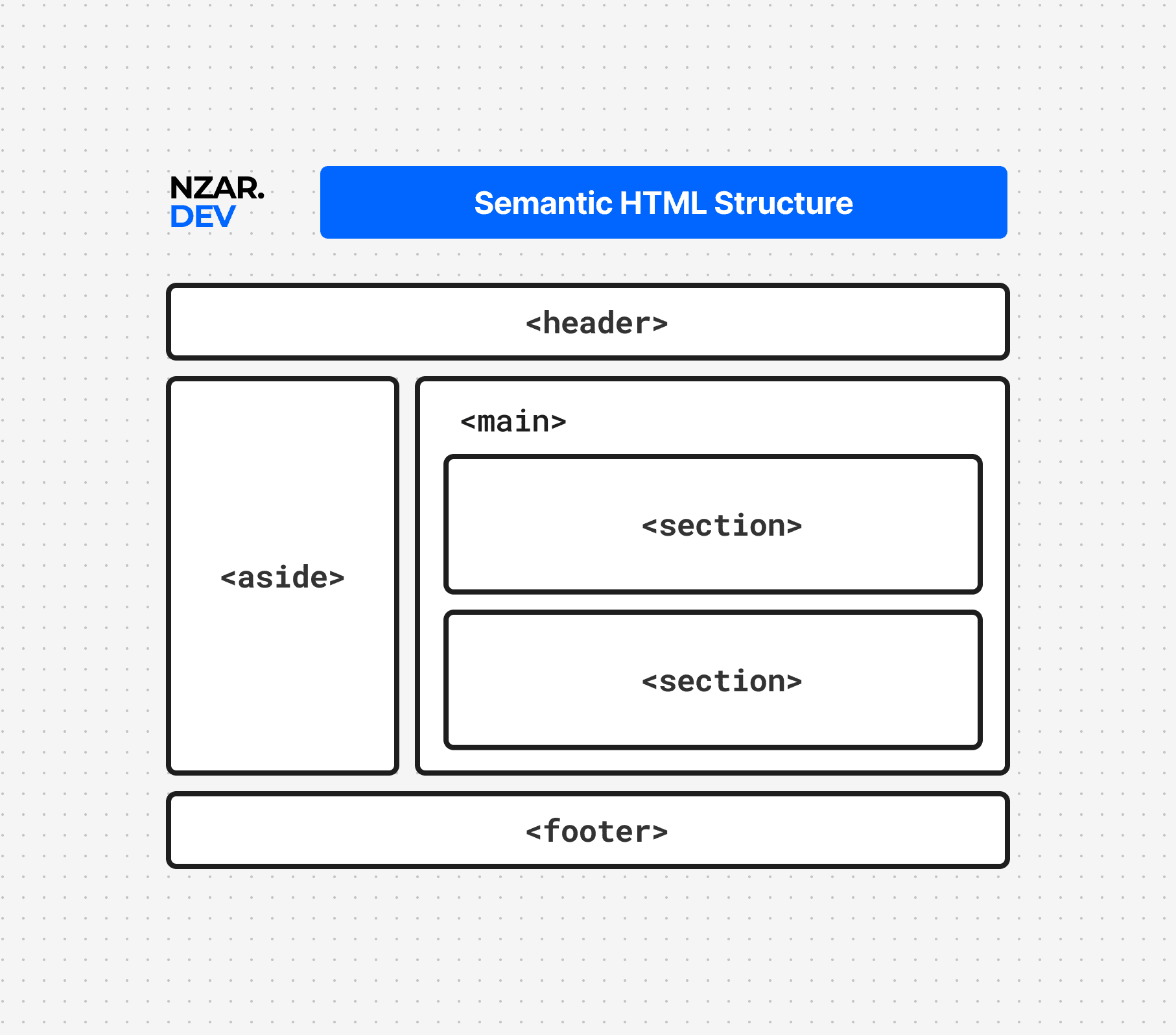
Visually, nothing has to change at all, these tags can be styled exactly like the divs above. But now the structure itself carries real information. Anything reading this page, a screen reader, a search engine, even another developer skimming your code for the first time, can immediately tell what each part of the page actually is, without needing to guess from a class name.
The Landmark Tags
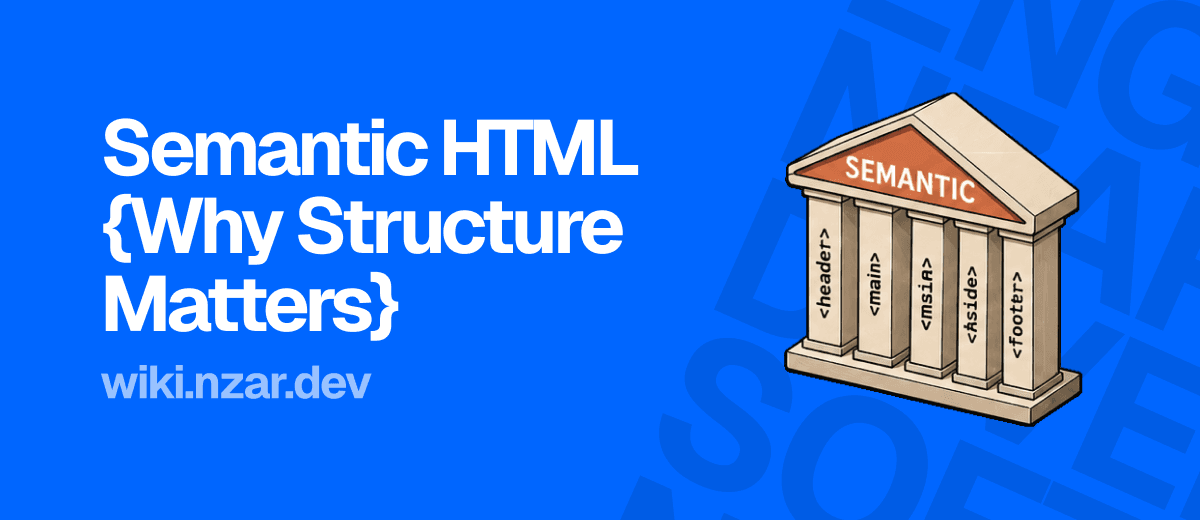
A handful of tags exist specifically to describe the major regions of a page, often called landmarks. Think of them like rooms in a house. <header> is the entryway, usually holding a logo and navigation. <nav> is specifically for navigation links, wherever they appear on the page. <main> is the one room that matters most, the actual primary content of the page, and a page should only ever have one. <aside> holds related but secondary content, like a sidebar. <footer> is the closing section, usually links, copyright, contact info.
Using these instead of generic divs doesn't just help machines. Screen reader users can jump directly between these landmarks, the same way you might glance at a floor plan to find the kitchen without wandering through every room first. That's the entire accessibility article coming up later in this part, and it starts with exactly this habit.
Section vs Article vs Div: The Tricky Distinction
Two tags trip people up constantly, because they sound similar but mean genuinely different things.
<article> is for a piece of content that would still make complete sense entirely on its own, if you pulled it out of this page and dropped it somewhere else. A blog post, a news story, a single product card, all good candidates for <article>, since each one stands alone.
<section> is for a thematic grouping of content within a page, related, but not necessarily meant to stand alone by itself. A "Customer Reviews" section on a product page fits <section>, it's a distinct part of the page's structure, but it doesn't make sense floating around on its own, disconnected from the product it belongs to.
And <div> is what you reach for when neither of those actually fits, when you just need a container for styling or layout purposes, with no real meaning to convey at all. The test worth asking yourself: does this content have a real, describable role on the page? If yes, look for the tag that names that role. If it's purely structural, a div is the right, honest choice, not a lazy one.
Why Machines Care So Much
It's tempting to treat all of this as a nice-to-have. It isn't. Screen readers rely on these tags to build a navigable map of your page, letting users skip straight to <main> instead of listening to your entire navigation menu read aloud first. Search engines lean on this same structure to understand what your page is actually about, and which content matters most, directly feeding into the SEO article later in this part.
There's also a quieter, more personal benefit. Semantic HTML is self-documenting. Open a file full of <header>, <nav>, and <main> tags six months from now, and you instantly know the page's shape, without reading a single class name or line of CSS. Open a file full of nested, identical divs, and you're stuck reverse-engineering the structure from scratch, exactly like the "code you can't explain" problem from the clean code article back in the Foundation chapter.
Why This Matters
The next time you're about to reach for a <div> out of habit, pause for a second and ask what this piece of content actually is. Is it the page's main navigation? Wrap it in <nav>. Is it a standalone blog post? Reach for <article>. Semantic HTML isn't extra effort tacked onto your work, it's often the exact same amount of typing, just choosing a tag that tells the truth about what it contains.
This habit compounds quietly across everything else in this wiki. A page built with real structure is easier to style with CSS, easier to make accessible, easier for search engines to understand, and easier for the next person, quite possibly you, to open and immediately understand. All of that, from choosing the tag that actually means what your content is, instead of the one that merely looks right.